01
Verify your app
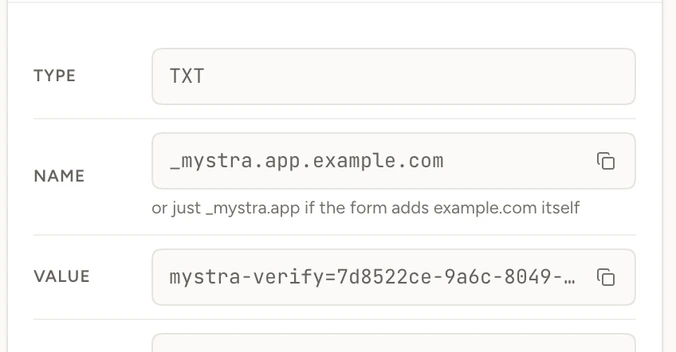
Prove you own the domain, pick the path to test and paste your deploy webhook. Mystra never runs against an app you haven't verified.

Mystra is revenue-path monitoring for web apps. After every deploy it signs up to your app in a real browser, reaches checkout and checks that access unlocked. When something breaks, you get proof, not a guess.
How it works
Mystra doesn't ping your homepage. It walks the path a paying customer takes, in a real browser with its own inbox, and only alerts you when it can prove something broke.
01
Prove you own the domain, pick the path to test and paste your deploy webhook. Mystra never runs against an app you haven't verified.
02
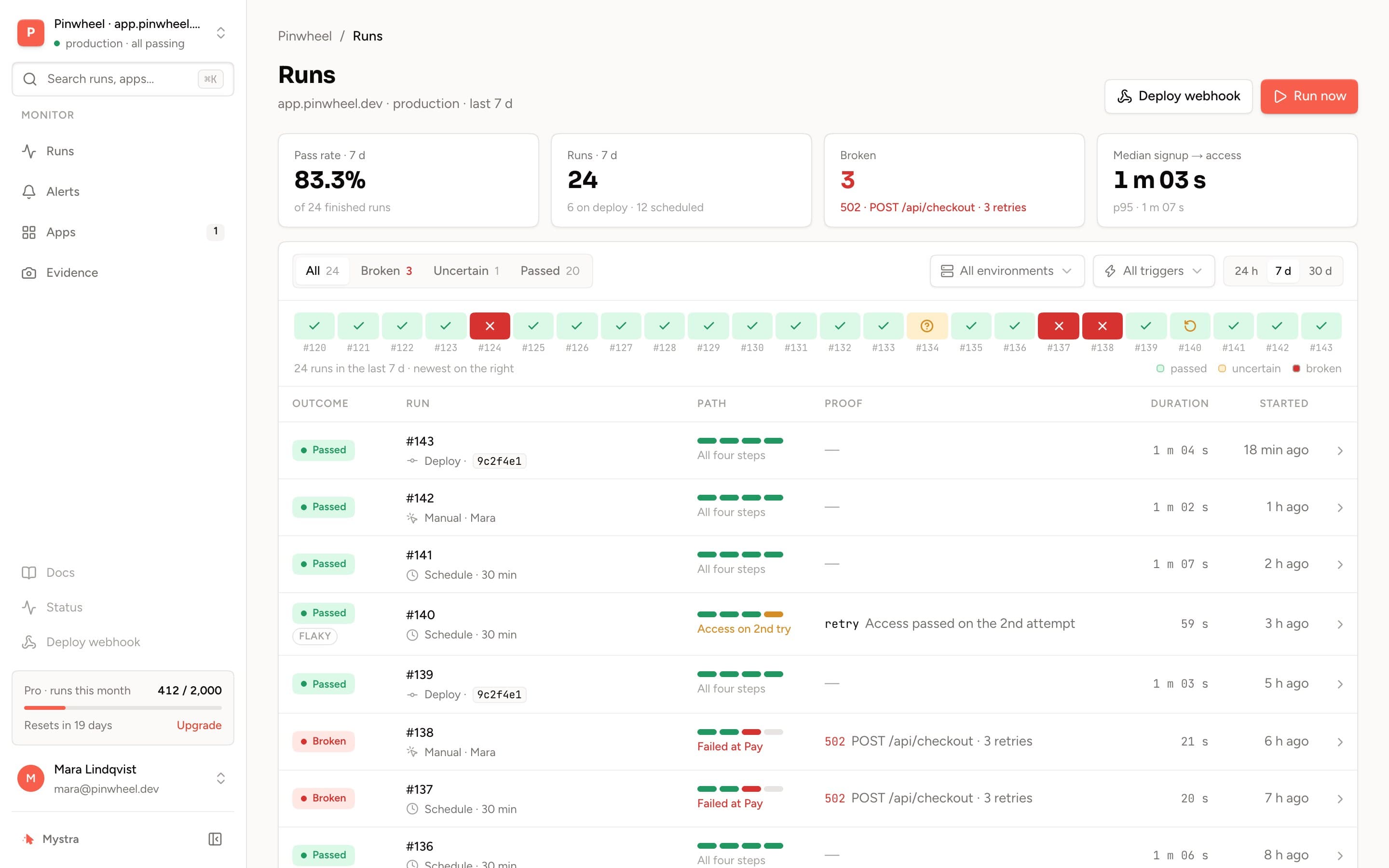
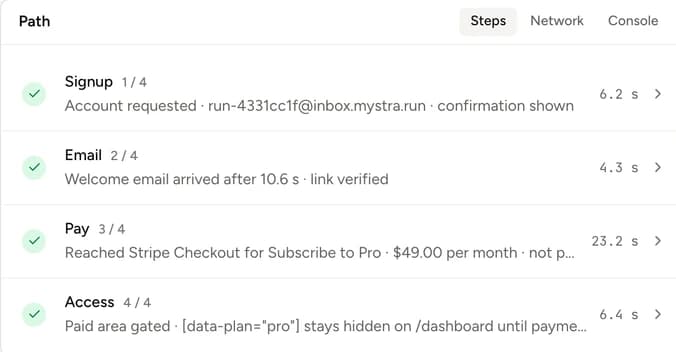
On every deploy or on a schedule, the runner creates a fresh account, waits for the welcome email in its own inbox, pays, and checks the plan actually unlocked.
03
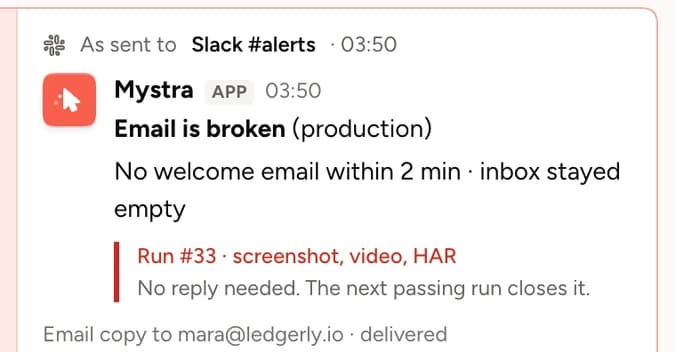
Broken means evidence: a 5xx, a timeout, an email that never came, access that stayed locked. Flaky or uncertain steps show in the report but never wake you up.
In one paragraph
Mystra is revenue-path monitoring for web apps: after every deploy, and on a schedule between deploys, a real scripted Chrome browser signs up to your product with a fresh throwaway account, waits for your welcome or magic-link email and follows it, presses your upgrade button until it reaches Stripe Checkout, and then confirms that the paid area is still closed to an account that has not paid. No card is typed and nothing is charged, so the same check is safe on live Stripe keys. It differs from uptime monitoring, which only confirms a page answered, and from generic synthetic monitoring, which does not know what a signup, a welcome email or a paywall is. Every run keeps a screenshot per step, a video, a HAR network capture and the console log. Mystra alerts only when it can prove a step broke: a 5xx, a timeout, an email that never arrived, or a paywall that opened without payment. A step that fails once and passes on retry is marked flaky and wakes nobody.
Read how a run works or how to test Stripe Checkout without paying.
Why Mystra
Uptime checks tell you the homepage loaded. Mystra tells you whether a customer could sign up and pay, and shows you the evidence when they couldn't.
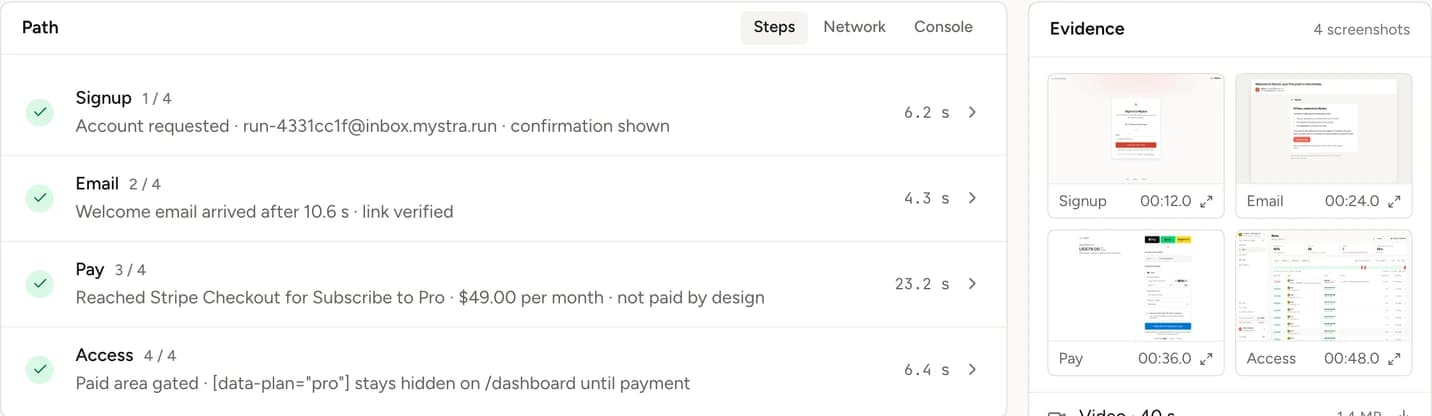
Each step is recorded with a screenshot, the network trace and the emails Mystra received, so the report shows what a customer saw, not a summary of it.
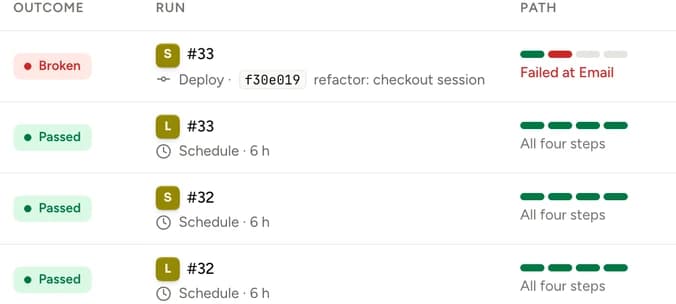
A webhook from your pipeline starts a run the moment you ship, so a broken checkout is caught minutes after the commit, not days.
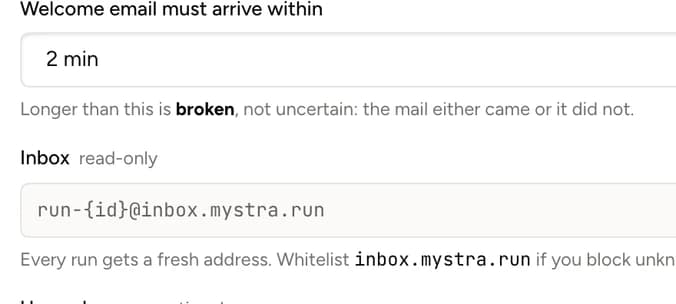
Mystra receives the emails your app sends, follows magic links and confirmations, and flags the ones that never arrive.
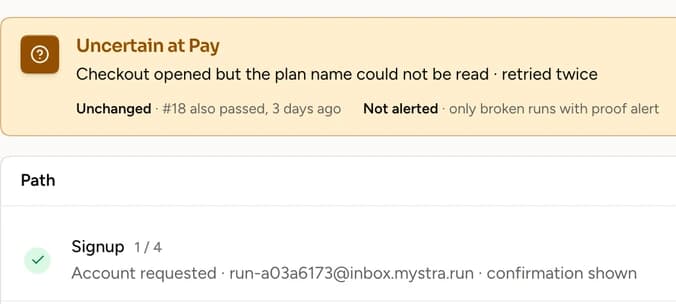
A step that fails once and passes on retry is marked flaky, not broken. Both attempts are kept, and you're only paged when it fails twice.
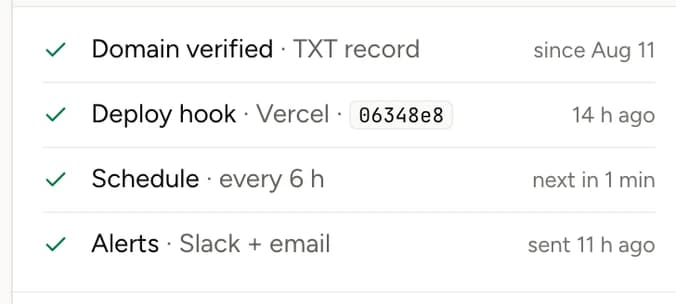
No run starts until you've proven the domain is yours. There's no override, which is what keeps Mystra a monitor and not an abuse tool.
Pricing
Every plan includes the full evidence on every run and alerts only with proof. Start free and upgrade when you want a schedule or more apps.
See the first proof on your own app. No card.
1 app · 25 runs / month
Up to three apps, checked after every deploy and on a schedule.
3 apps · 500 runs / month
Several apps, checked as often as every 15 minutes.
10 apps · 3,000 runs / month
Prices in USD, billed monthly, cancel any time. A run is one walk of the whole path on one app. Full pricing details
FAQ
Short answers to the things that matter when a tool gets to touch your checkout.
It creates one throwaway account per run and only follows the steps you configured: signup, the welcome email, your upgrade button, the paid area. It never signs in as a real user, never deletes anything, and never calls an endpoint outside that path. Evidence is private to your account unless you create a share link, and it expires on the retention schedule you see in Evidence.
Get started
Verify your domain, paste the deploy webhook, and the first run is on its way. If it finds something, you'll get proof; if it doesn't, you'll sleep better.
No card required · first run in under 5 minutes